- Streaming TV means watching shows, live channels, sports, and news over your internet connection instead of a traditional cable TV line.
- Live TV streaming services can give you a cable-style channel guide, while antennas can help some homes get free local channels.
- Cable may still be simpler for certain sports channels, regional networks, or households that do not want to manage apps.
- Streaming works best when your internet is steady, unlimited, and strong enough for evening use.
- For rural homes in south-central Pennsylvania, the smartest move is to start with reliable internet, then build your TV setup around it.
In 2026, streaming TV can replace most of what cable does, including live channels, sports, local news, movies, and on-demand shows. The catch is that streaming depends entirely on your internet connection. If your internet is slow, capped, or unreliable in the evening, streaming can feel frustrating fast.
This is why the streaming-versus-cable question is not only about TV but also about the internet service behind the TV. For rural homes in Pennsylvania, dependable internet comes first. Once that foundation is in place, you can decide whether cable is still worth paying for or whether streaming gives you more control.
Why People Think They Still Need Cable
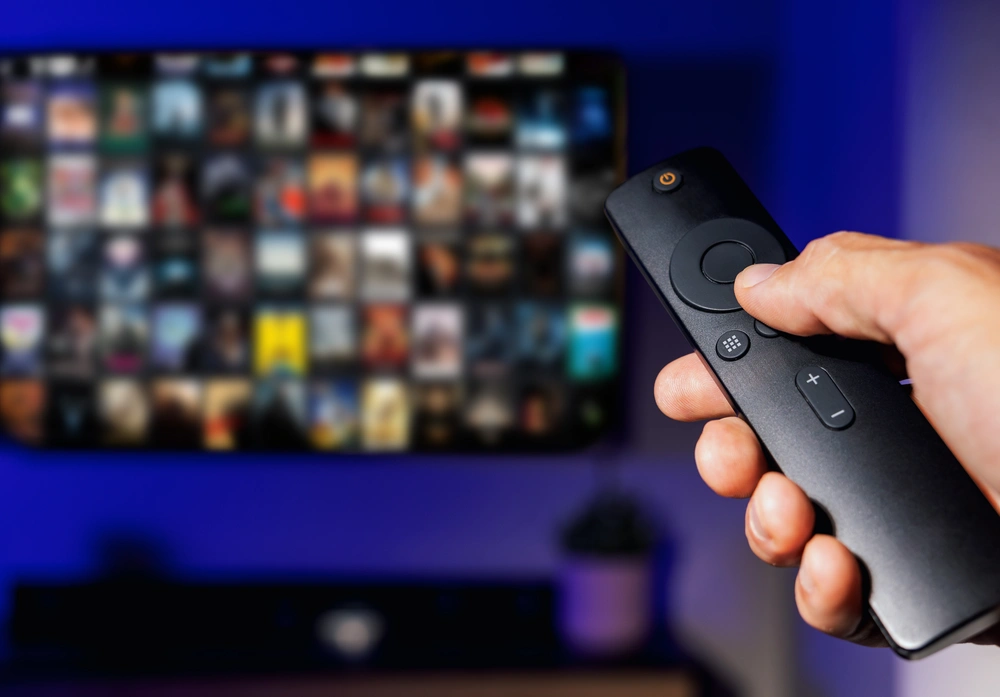
Most people don’t keep cable because they love the bill. They keep it because it feels familiar. You turn on the TV, use the same remote, flip through the same guide, and know where your news, weather, sports, and favorite shows are.
The concern over making the switch isn’t unreasonable. Switching to streaming can sound like trading one simple setup for a pile of apps, passwords, remotes, and missing channels. Common worries include the following:
- Will I still get local channels?
- Can I still watch live sports?
- Will streaming cost just as much after I add everything?
- Will my internet be strong enough?
- Will the TV be harder for everyone in the house to use?
These are fair questions. Cable can still be the right fit for some households, but for many people, the real issue is not that streaming cannot replace cable. It’s that the internet connection doesn’t support the streaming setup.
What Streaming TV Actually Means
Streaming TV means watching video through your internet connection instead of through a traditional cable TV line. Instead of a cable box bringing channels to your screen, your shows and channels come through apps on a smart TV, streaming stick, phone, tablet, or computer.
There are two main kinds of streaming: on-demand streaming and live TV streaming.
On-Demand Streaming
On-demand apps let you choose what to watch whenever you want. Netflix, Disney+, Prime Video, Max, Tubi, and similar services fall into this group. You open the app, choose a show or movie, and start watching.
This is what many people picture when they hear the word “streaming,” but it’s only one part of the picture.
Live TV Streaming
Live TV streaming services are more similar to cable. Services like YouTube TV, Hulu + Live TV, Sling, and Fubo offer live channel lineups, guides, news, and sports depending on the package. You still watch through an app, but the experience can feel much more like traditional TV.
This means that switching from cable does not have to mean giving up live channels. It simply means changing how those channels reach your TV. If you want to understand the internet side first, Upward Broadband’s guide to how fixed wireless internet works explains how service reaches homes without relying on a traditional cable line.
Streaming TV vs Cable: Side-by-Side Comparison
| Category | Streaming TV | Cable TV |
|---|---|---|
| How You Watch | Through apps on a smart TV, streaming device, phone, tablet, or computer | Through a cable box, cable remote, or provider app |
| Content | On-demand shows, movies, live TV services, sports apps, and news apps | Traditional channel lineup, live TV, and provider on-demand library |
| Local Channels | Often available through live TV streaming or an antenna, depending on location | Usually included in the local cable package |
| Live Sports | Available through some live TV services and sports apps, though regional coverage varies | Often simpler for certain regional sports networks and channel bundles |
| Equipment | Smart TV or streaming device plus reliable internet | Cable box, remote, and provider equipment |
| Contracts | Often month to month, depending on the service | May involve contracts, promotional pricing, or bundled terms |
| Flexibility | Easier to add, cancel, rotate, or change services | Less flexible, especially with bundled packages |
| Main Tradeoff | More control, but it depends on reliable internet | More familiar, but often less flexible |
Where Cable Still Has an Edge
Cable still makes sense for some people. If someone in the house doesn’t want to deal with apps, passwords, input buttons, or a new menu, cable may feel easier since it puts everything in one familiar place.
Cable can also be simpler for certain regional sports networks, specialty channels, or channel bundles. Sports are often the hardest part of cutting the cord. National games are usually easier to find through live TV streaming services or sports apps, but regional coverage can vary.
If one team, one league, or one channel is the main reason you keep cable, check that channel before canceling anything. Don’t assume every streaming service carries it. A little research upfront can prevent a lot of frustration later.
Where Streaming Usually Works Better
Streaming works well when you want more control over what you pay for and what you watch. You don’t need your internet provider to sell you a TV bundle. You can keep internet service by itself and choose the apps or live TV service that actually fits your household.
This is the major difference between cable TV and streaming. While cable often pushes you toward large channel packages, streaming lets you build around what you use. If you mostly watch movies and shows, one or two on-demand services may be enough. If you want a cable-style guide, a live TV streaming service may make more sense, or if local news matters most, a live TV service or antenna may solve the problem without a full cable package.
Streaming is also mainstream now. Pew Research Center reported in 2025 that 83% of U.S. adults use streaming services. Nielsen also reported that in May 2025, streaming passed the combined share of broadcast and cable viewing for the first time, proving that it’s no longer a fringe alternative. For many households, it’s already the normal way to watch TV.

Local Channels, Sports, and News Are Usually Solvable
The biggest cable holdout concerns usually come down to local channels, sports, and news. Streaming can often handle all three, but availability can vary.
Local Channels
Many live TV streaming services carry local stations, but availability depends on your location and the service you choose. If you’re looking to avoid another monthly subscription, an over-the-air antenna may pull in local broadcast channels for only the cost of the antenna.
Since terrain, distance from broadcast towers, and the way your house sits can all affect reception, an antenna isn’t always perfect for every home. But for some rural households, an antenna plus streaming is an effective combination.
Live Sports
Sports require the most careful checking. While some games are on national networks, some are on league apps instead or tied to regional sports networks. Before canceling cable, write down the teams and events you actually watch, then check which services carry those channels.
News
News is usually easier. Live TV streaming services often include national and local news channels, and many local stations have their own apps with live or recorded coverage. If the evening news is a must-have, confirm your specific station before switching.
How to Avoid Recreating Your Cable Bill With Streaming Apps
Streaming can save money, but only if you stay disciplined. If you sign up for several apps, add premium channels, keep a live TV package, and never cancel anything, the bill can climb quickly.
Start with what your household actually watches in a normal week:
- If you mostly watch movies and shows, start with one or two on-demand apps.
- If you want a cable-style guide, compare live TV streaming services.
- If sports are the priority, build around the teams, leagues, and channels you need.
- If local news matters most, check local channel availability and consider an antenna.
- If you only watch one show on a service, subscribe for that season and cancel when you are done.
The biggest benefit of streaming is not always a dramatically lower bill but control. You can choose what you want, cancel what you don’t use, and avoid paying for a bundle just because it came with your internet service.
If you are comparing internet options at the same time, this guide to fixed wireless vs cable internet can help separate the internet decision from the TV decision.
What Equipment Do You Need to Stream?
A streaming setup is usually simple. You need reliable internet, a screen, and a way to run streaming apps.
If you already have a smart TV, the apps may be built in. If your TV is older, you can usually add a streaming device like a Roku, Fire TV Stick, or Apple TV. These plug into the TV and give you access to streaming apps without replacing the screen.
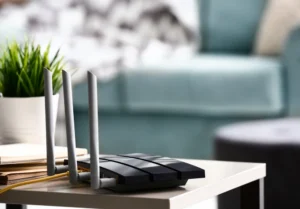
Your home Wi-Fi also plays a role. The internet may reach your house just fine, but if the Wi-Fi signal is weak in the room where you watch TV, you can still see buffering. This doesn’t always mean the internet service itself is the problem. Sometimes the router location, the age of the router, or the distance from the TV is the issue.
If you are looking at rural internet options, it also helps to understand the fixed wireless equipment involved, including the outdoor receiver and indoor router that help distribute the connection through your home.
Your Internet Connection Is the Part That Matters Most
Streaming TV lives or dies on internet quality. Apps, channels, and devices matter, but the connection underneath them matters more.
Think about a normal evening at your home. One person is streaming live TV, while someone else is watching YouTube. Perhaps a laptop is on a video call. Phones are connected to Wi-Fi. A security camera may be uploading footage, while smart devices are running in the background. Streaming isn’t happening by itself. It’s part of the whole household internet load.
This is why the best internet for streaming isn’t just the plan with the biggest advertised number. It’s the connection that stays steady when your household is actually using it.
When choosing internet for streaming, ask some specific questions:
- Can it handle more than one device at a time?
- Does it stay steady during evening hours?
- Are there data caps?
- Will speeds be throttled after heavy use?
- Is local support available if something goes wrong?
- Is the Wi-Fi strong enough where you actually watch TV?
- Will weather impact my connection?
If you’re not sure how much speed your household needs, Upward Broadband’s guide to what internet speed you need breaks down common activities like streaming, gaming, browsing, and working from home.
Why Unlimited Data Matters for Streaming Households
Streaming uses data every time you watch. The more you stream, the more unlimited data matters.
Data caps can turn normal TV watching into something you have to monitor. This is especially frustrating for households with multiple TVs, remote work, online gaming, smart cameras, tablets, and phones all using the same connection.
Some internet plans advertise high speeds but include caps, throttling, or fine print that affects heavy users, which can make streaming feel unreliable even when the service looked good on paper.
For a household trying to replace cable TV, unlimited data isn’t a small perk. It’s part of what makes streaming a possibility.
Does Weather Affect Streaming Over Fixed Wireless Internet?
Weather is another common concern for rural homes. If your TV depends on the internet, it’s reasonable to ask whether rain, snow, or storms will interrupt your connection.
In most cases, everyday weather has little effect on fixed wireless internet. The signal travels from nearby local equipment to a receiver at your home, not tens of thousands of miles to a satellite. Severe wind can cause issues if equipment is knocked out of alignment, but properly installed equipment is built with that risk in mind.
For a deeper explanation, Upward Broadband’s article on whether weather affects fixed wireless internet explains how rain, snow, wind, and storms relate to fixed wireless service.
For South-Central PA, Upward Broadband’s Reliable Internet is a Great Place to Start
National cord-cutting advice often assumes that fast, reliable internet is already available. That’s not always true in rural south-central Pennsylvania. Some homes are still dealing with weak DSL, spotty cellular service, satellite internet, or cable providers that do not reach their road.
This reality changes the first question you should ask. Don’t start by asking which streaming app is best. Start by asking whether your internet connection can support the way your household watches TV.
Fixed wireless internet can help rural homes get fast, reliable service without needing a traditional cable line to the property. Once that connection is in place, streaming becomes much more feasible.
Availability still depends on your address, terrain, and signal path. The best way to know whether service is possible is to check your address in Upward Broadband’s coverage area or call the local team directly.
A Simple Way to Switch Without Making TV Harder
You don’t have to cancel cable overnight. A lower-stress switch can happen in steps.
- Start with dependable internet. Streaming depends on the connection, so solve that first.
- Use the TV you already have. If it is a smart TV, start there. If not, add a simple streaming device.
- Pick one main TV service. If you want live channels, start with one live TV streaming service instead of stacking apps randomly.
- Check local channels before canceling cable. Confirm local station availability or test an antenna.
- Check sports before canceling cable. Make sure your teams and channels are covered.
- Keep the setup simple. Fewer apps and fewer remotes make the change easier for everyone.
If you have questions about installation, routers, availability, or how fixed wireless works, Upward Broadband’s fixed wireless internet FAQ is a good next stop.
Ready to See If Streaming Can Work at Your Address?
Streaming TV vs cable is not about picking the trendier option. Instead, it’s about choosing the setup that gives your household the shows, news, sports, and the simplicity you want without paying for a bundle you don’t need.
Cable still has a place in some homes, but if the only reason you’re holding on is the fear that streaming will not feel like real TV, it may be time to take another look. Live TV streaming services, smart TVs, streaming devices, and antennas can cover most of what many households watch.
The foundation is reliable internet with no data caps, steady evening performance, and local support when you need help.
Still holding onto cable because you think you need it? Streaming can replace most of what cable gives you. You just need internet that can handle it. See if Upward Broadband serves your address.
Frequently Asked Questions
Is streaming cheaper than cable once you add everything up?
Sometimes, but not always. Streaming can save money if you choose services that match what you actually watch and cancel what you don’t use. If you subscribe to several apps, premium channels, sports add-ons, and a live TV package all at once, the monthly cost can get close to cable.
What internet speed do I need for streaming TV?
It depends on how many people are watching, the picture quality, and what else is happening online at the same time. One HD stream is very different from a household with multiple TVs, phones, tablets, cameras, and work devices running at once.
What is the difference between cable TV and streaming if I still want live channels?
Cable delivers live channels through a traditional TV provider. Streaming delivers live channels through an internet-based service or app. The viewing experience can feel similar, especially with a live TV streaming service, but streaming usually gives you more flexibility to choose and change your services.
Can I keep my internet and cancel cable TV?
In many cases, yes. This is one of the main reasons people switch to streaming. You keep internet service, use that connection for TV, and stop paying for a cable channel lineup you don’t need. The important step is making sure your internet connection is reliable enough for your household’s streaming habits.
Do I need a smart TV to switch from cable to streaming?
No. A smart TV makes streaming easier, but you can also use a regular TV with a streaming device like a Roku, Fire TV Stick, or Apple TV. Once the device is set up, your TV can run streaming apps without needing a new screen.
Can I still watch local channels without cable?
Often, yes. Some live TV streaming services include local channels, depending on your location. An over-the-air antenna may also pull in local broadcast channels without a monthly TV subscription.
What is the best internet for streaming TV?
If you live in a rural area, fixed wireless can be an excellent choice for streaming TV because the connection stays dependable when your household is actually using it.